What you’ll learn: A practical, jargon-free guide to scoping a custom software project, from identifying the right problem to writing a requirements document a developer can actually work from. No technical background needed.
The biggest risk in custom software isn’t the technology: it’s the scope
The most common reason custom software projects fail isn’t bad code. It isn’t missed deadlines. It’s building the wrong thing: a system that technically works but doesn’t solve the business problem it was meant to solve.
The fix for this isn’t technical. It’s scoping: defining, clearly and specifically, what the system needs to do and why. And you can do this without a technical background.
Step 1: Identify the right problem (most people skip this)
Rule: Never start with a solution. Start with a pain point you can describe in one sentence without mentioning any technology.
Bad scope: “We need a dashboard with charts and filters.” Good scope: “Every Monday morning, our manager spends 3 hours exporting sales data from Shopee, pasting it into Excel, and creating a report for the owner. We need that report to generate automatically.”
The first describes a feature. The second describes a problem, with a time cost, a frequency, and a clear person affected. This is what a developer needs to build something useful.
Try this template:
“Every [frequency], [person] spends [time] doing [manual task] using [current tools]. The result is [deliverable]. The problem is [error rate / delay / dependency on one person].”
If you can fill this in honestly, you have a well-defined problem. If you can’t, the problem isn’t clear enough to build for yet.
Step 2: Map the workflow (pen and paper is fine)
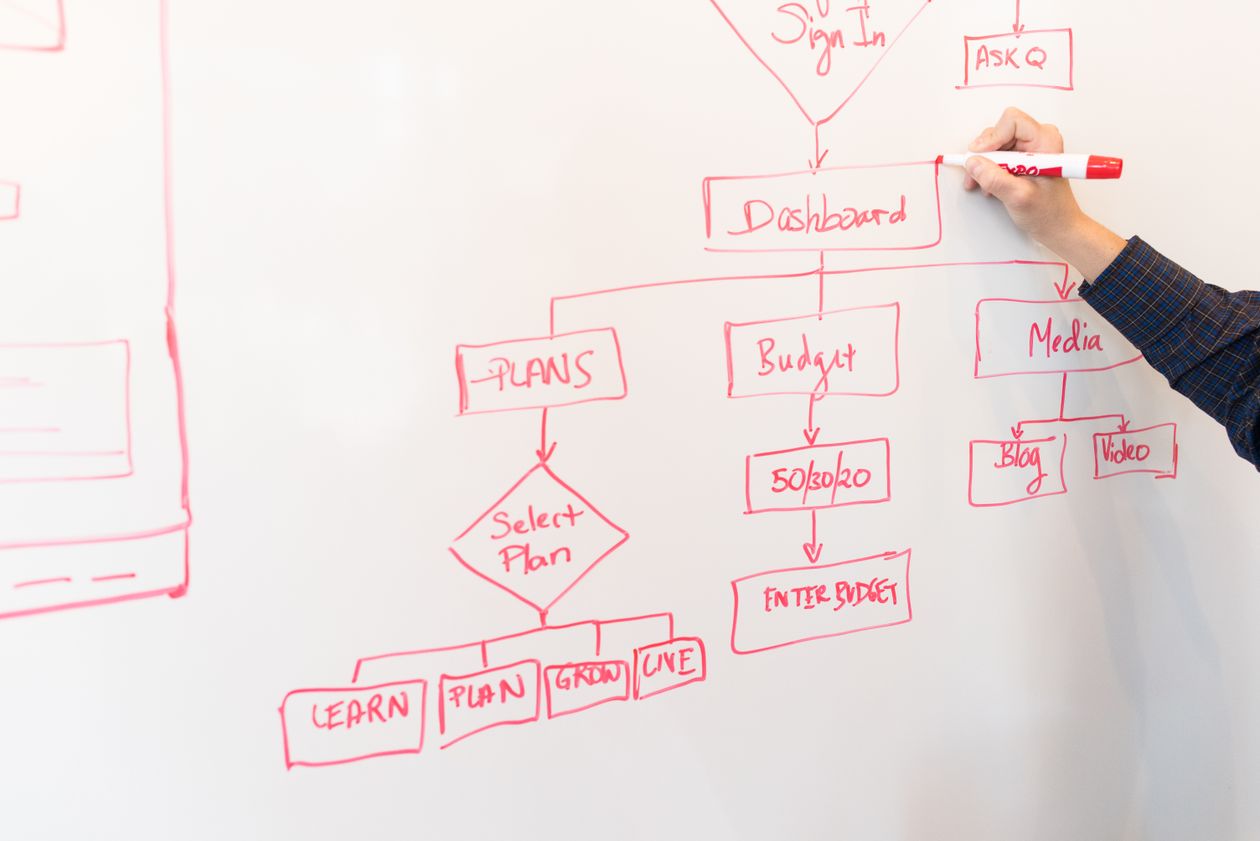
Before you talk to any developer, map the workflow you want to automate or support. This doesn’t need to be technical:
- List every step in the current process, in order.
- Mark which steps are manual (a person does something) vs. automatic.
- Circle the steps that cause the most pain: errors, delays, dependency on one person.
- Write down what happens when something goes wrong at each step: what’s the recovery process?
A simple example for order processing:
- WhatsApp message arrives (manual: someone reads it)
- Check inventory in spreadsheet (manual: open file, search)
- Calculate total price + shipping (manual: calculator)
- Send payment details to customer (manual: type WhatsApp message)
- Customer pays and sends screenshot (manual: wait, check phone)
- Record order in spreadsheet (manual: enter data)
- Notify warehouse to ship (manual: send WhatsApp to warehouse person)
Now circle the pain points: Steps 2 and 6 (spreadsheet search and data entry), Step 3 (calculation errors), Step 5 (missed payment confirmations).
You’ve now identified exactly what the system needs to automate or support. Steps 1, 4, and 7 can remain manual. Steps 2, 3, 5, and 6 are your build priorities.
Step 3: Define “done” (the acceptance criteria)
For each feature you want, write one sentence that a builder can verify:
- Not: "The order system should be fast."
- Do: "When a WhatsApp order comes in, the system should display the order on our dashboard within 5 seconds."
- Not: "We need inventory tracking."
- Do: "When an order is marked as shipped, the product quantity in the inventory table should decrease by the ordered amount automatically."
The test: can someone who didn’t write the requirement open the finished system and check whether it’s met? If yes, it’s a good requirement. If no, make it more specific.
Step 4: Prioritise (what must the system do on day one?)
List every feature you’ve identified. Then sort into three buckets:
Bucket 1, Must have (MVP): The system doesn’t function without these. For an order management system: viewing new orders, updating order status, basic inventory tracking.
Bucket 2, Should have (launch + 30 days): Important but not launch-critical. For the same system: automated payment confirmation, customer purchase history, WhatsApp notification templates.
Bucket 3, Nice to have (future): Would improve the system but doesn’t change the core value. Sales trend reports, multi-language support, integration with additional marketplaces.
This prioritisation prevents scope creep, the tendency to keep adding features until the project is twice the intended size and budget. Ship bucket 1. Add bucket 2 in the warranty period. Schedule bucket 3 for Q2.
Step 5: Write a one-page scope document
Now put it all together. A developer-ready scope document needs only these sections:
- Problem statement (the one-sentence pain description from Step 1)
- Current workflow (the step-by-step from Step 2, with pain points marked)
- Desired outcome (when the system is live, what’s different? Be specific: “Reports take 5 minutes instead of 3 hours” is better than “more efficient”)
- Must-have features (Bucket 1, each with an acceptance criterion)
- Users and access (who needs to use the system? Different roles? Different permissions?)
- Integrations (what existing tools or data sources does the system need to connect to?)
- Budget and timeline (your constraints; be honest, since this helps the developer tell you what’s realistic)
That’s it. One page. No diagrams, no technical specifications. A developer can read this and tell you:
- Whether the project is feasible within your budget
- What the risks are
- How long it should take
- What they need clarified before starting
Frequently Asked Questions
Start with the problem, not the features. A good developer will help you translate "every Monday is a nightmare of copying data" into specific feature requirements. You don't need to know the solution, just the problem, clearly described.
Enough that you can describe the problem, the current process, and the desired outcome in 15 minutes. The developer's job is to ask the right questions to fill in the details, but you need to arrive with enough clarity that the questions are productive, not exploratory.
Yes, but understand the trade-off. Adding scope means adding time or budget. Removing scope means saving time or budget. The important thing is making these decisions consciously, not letting the scope expand one "small request" at a time until the project has doubled. A written scope document is your reference point for these conversations.